See PoolQ in Action
Walk through every section of the platform, from the owner's dashboard to the player's mobile experience.
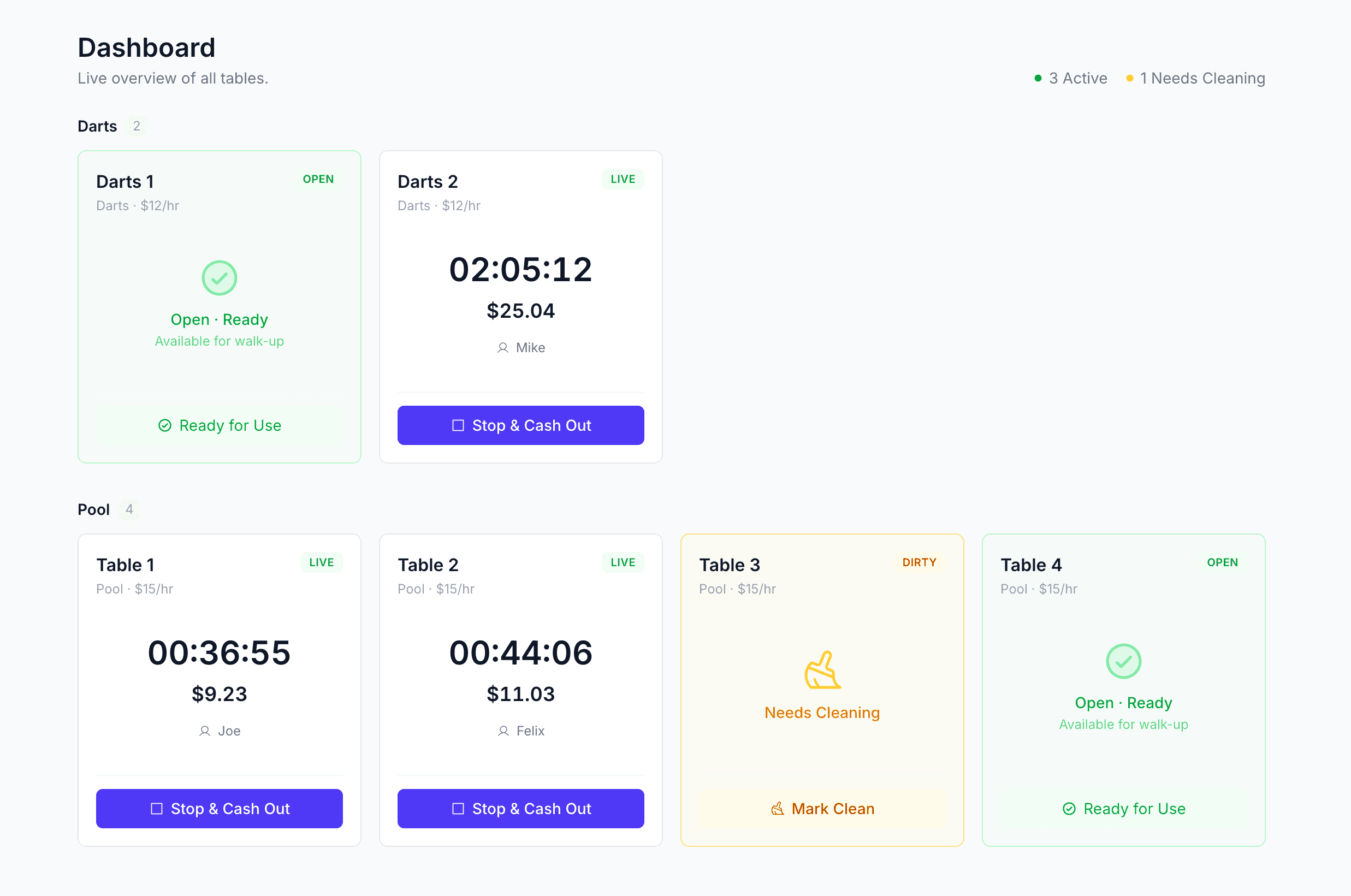
Live Dashboard
Real-time visibility into every table on your floor.
See which tables are in play, which need cleaning, and exactly how long each session has been running, all at a glance. Rate adjustments and promo pricing update live so you always know what's being charged.
- Live status cards for every table (Available, Occupied, Needs Cleaning)
- Active session timers with real-time elapsed time
- Promotional rate overlays that update automatically
- Tables grouped by resource type (Pool, Shuffleboard, etc.)
- Quick-glance active & dirty counters in the header
- One-click session management directly from each card
Waitlist & Queue
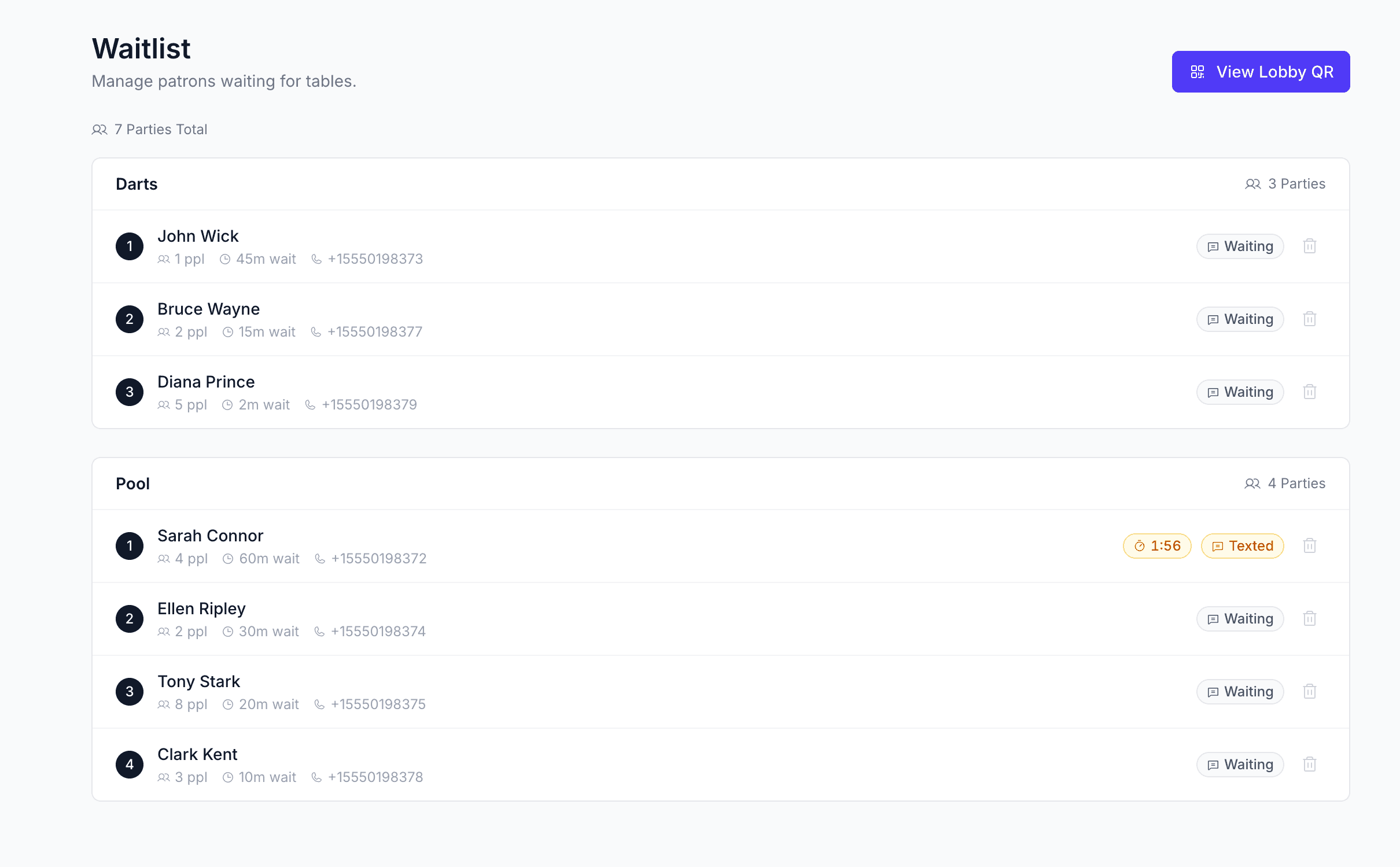
Fill tables faster with automated SMS notifications.
Patrons scan a QR code to join the queue from their phone. When a table opens, PoolQ sends an automatic text and starts a 3-minute claim timer. If they don't show, the next person in line is notified instantly. Zero dead time.
- QR code join, no app download required for players
- Automatic SMS notification when a table opens
- 3-minute claim countdown with auto-expiration
- Party size tracking and resource type preferences
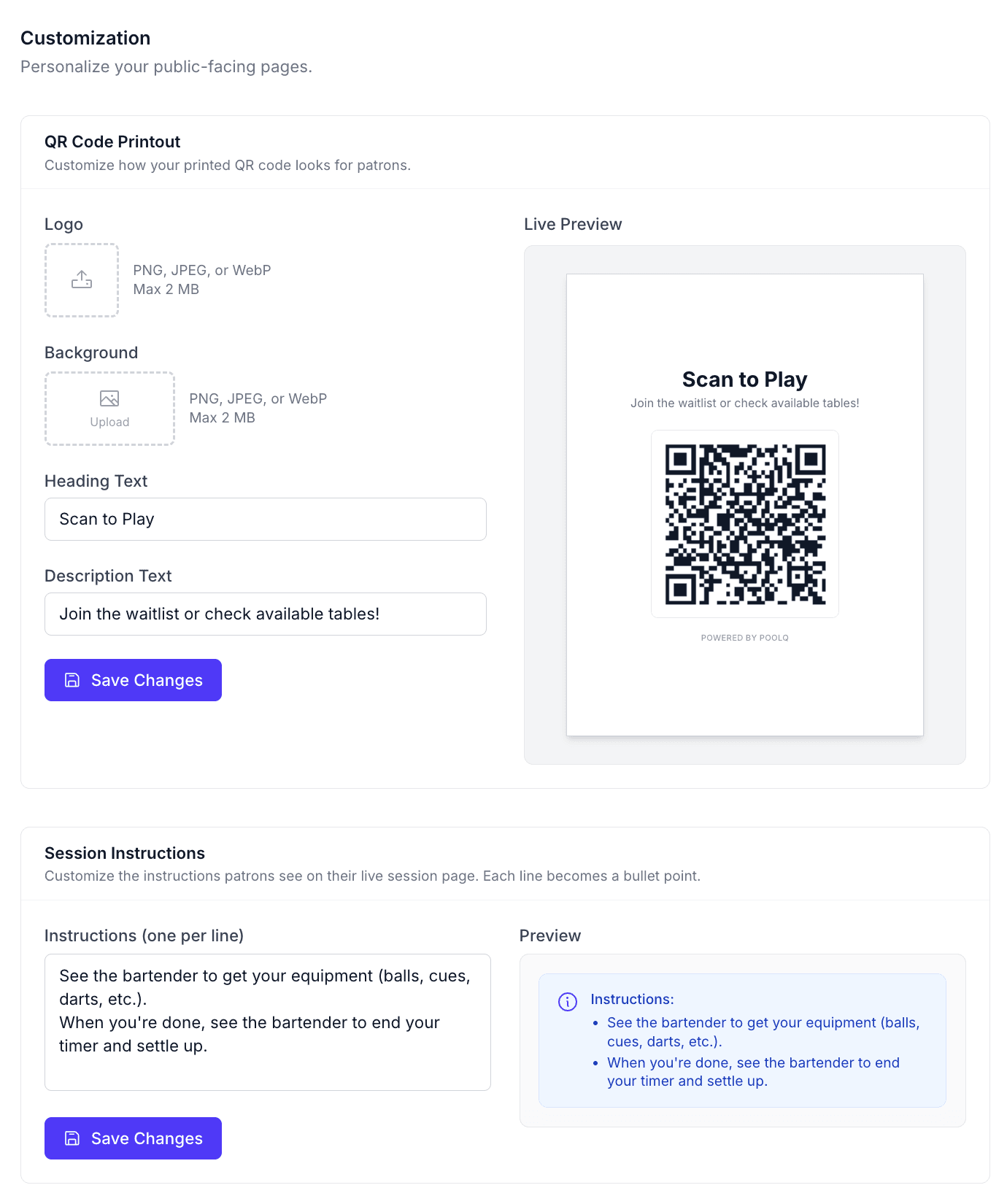
- Printable QR poster with customizable heading & logo
- Real-time waitlist view with status badges (Waiting, Texted, Confirmed)
Resource Management
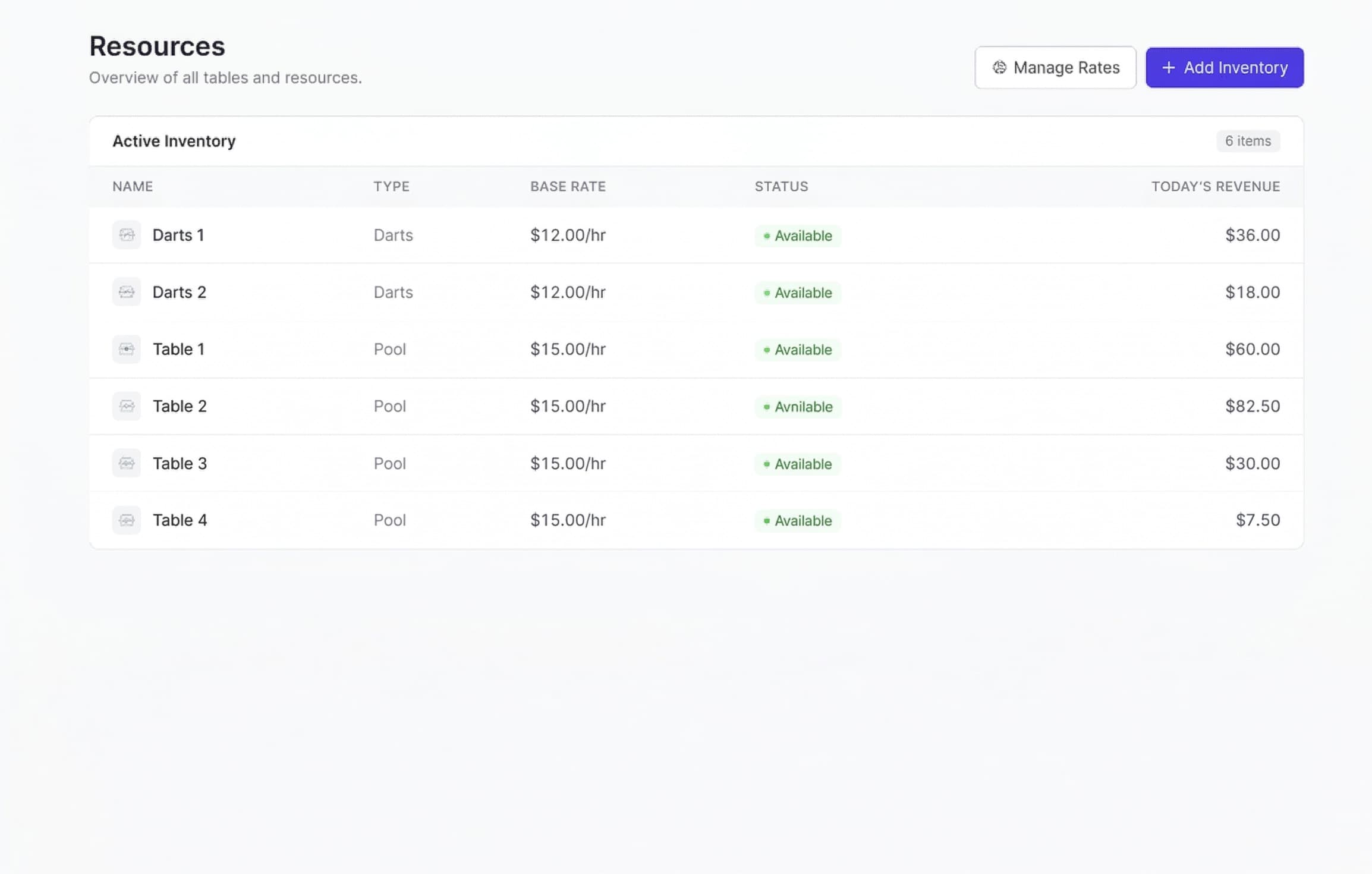
Organize tables, set rates, and track daily revenue.
Define resource types (Pool Tables, Shuffleboard, Darts), set hourly rates for each, and manage your full table inventory. The resources page doubles as a revenue tracker, showing today's earnings per table in real time.
- Custom resource types with individual hourly rates
- Add tables individually or batch-add multiple at once
- Status tracking per table (Available, Occupied, Reserved, Dirty)
- Today's revenue column with per-table breakdown
- Inline rate editing from the Rate Manager
- Full inventory table with type, rate, status, and revenue
Settings & Customization
Promotional rates, branding, and fine-grained controls.
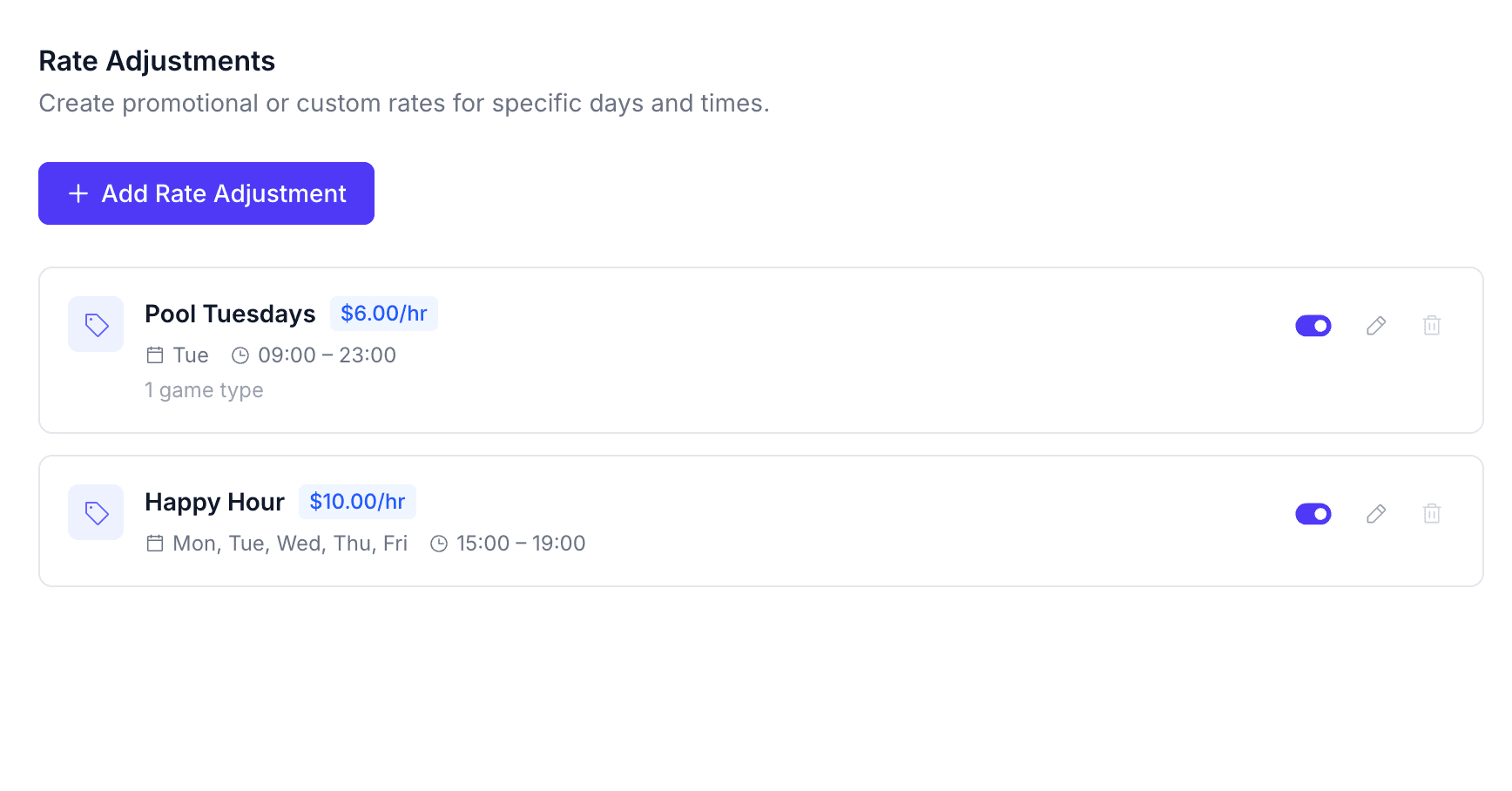
Configure everything from your venue's timezone to promotional pricing schedules. Create time-based rate adjustments (e.g. Happy Hour, Weekend Specials) that automatically kick in on the days and times you choose. Customize your QR printout and session instructions.
- Venue timezone configuration for accurate billing
- Promotional rate scheduling by day-of-week and time range
- Flat-rate or percentage-based adjustments per resource type
- QR printout customization (logo, heading, sub-text, background)
- Session instructions displayed on the player's live timer page
- Stripe Connect management and payout settings
Player Experience
A seamless mobile flow from queue to receipt.
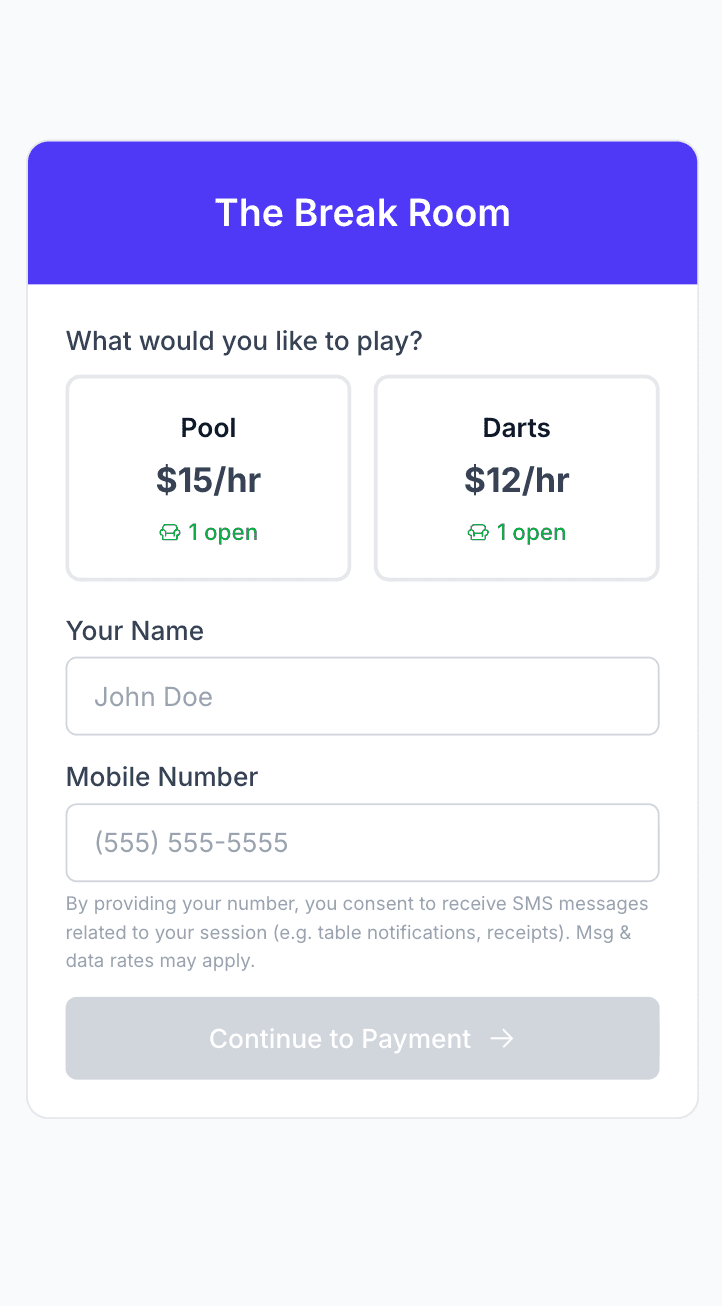
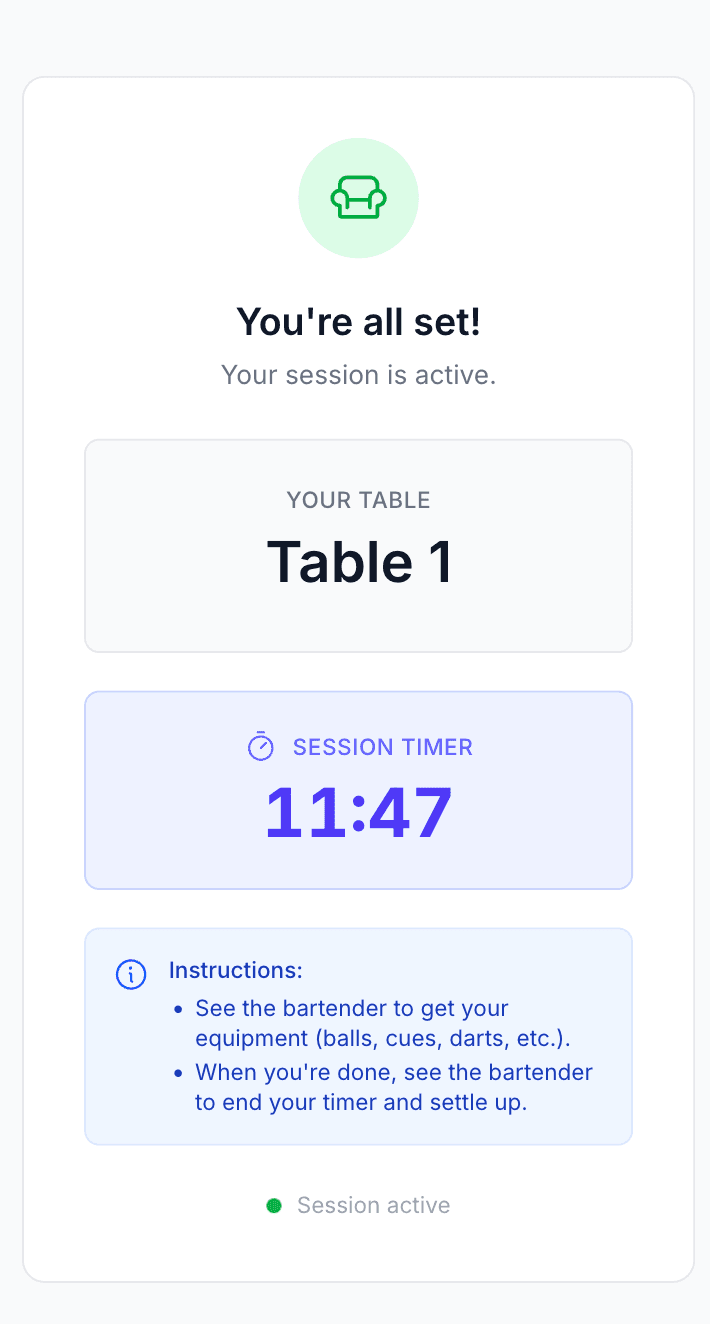
Players scan the QR code, pick a table type, and either grab an open table or join the waitlist. Once seated, they see a live session timer on their phone. When they're done, checkout is a single Stripe-powered payment.
- Mobile-first public queue page with live availability counts
- Table type picker showing effective rate (with promo badges)
- Live session timer with table name and elapsed time
- In-session instructions customized by the venue
- Stripe checkout with pre-authorization and overtime handling
- SMS payment recovery link for walkaway sessions
Ready to Get Started?
Join PoolQ today and start turning idle tables into revenue. No contracts, cancel anytime.